For companies running SAP S/4HANA

Sourcing and supplier onboarding, connected to your SAP

Formal RFQs, sealed bids, supplier registration and approvals on one platform. Requisitions come from SAP; awards, purchase orders and invoices go back. Free for suppliers, in English and Arabic.
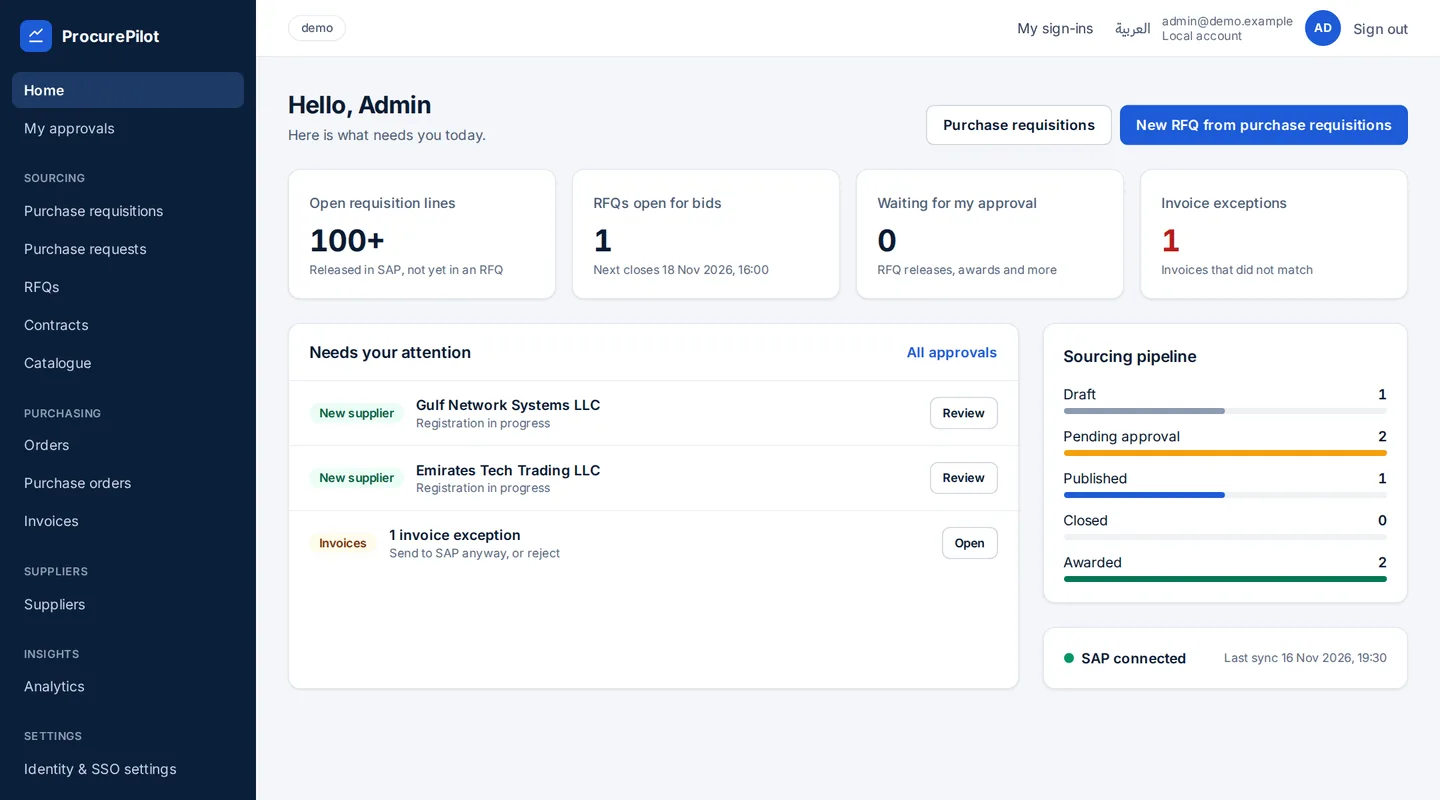
Buyer home page with key figures and the items that need attention

One platform from requisition to invoice

Four building blocks on one engine. Each customer sets its own questionnaires, approval rules and RFQ rules, with no custom code per customer.

Supplier onboarding

Your own registration questions, KYC checks, sanctions screening and document expiry alerts. Suppliers use the portal for free.

RFQs and sealed bids

RFQs built from SAP requisitions, sealed bids opened by a committee, side-by-side comparison, BAFO and reverse auction.

Approvals

Approval groups and value bands in your currency, for RFQ release and award. Approvers decide from their phone.

Orders and invoices

Purchase orders and contracts in SAP, goods receipts read back, supplier invoices checked and parked in SAP.

Every screen in English and Arabic (right to left) · Sign-in with your own Microsoft Entra ID or SAML provider

One screen per role

Each role starts from its own work queue: approvals, closed bids, new suppliers, invoice exceptions.
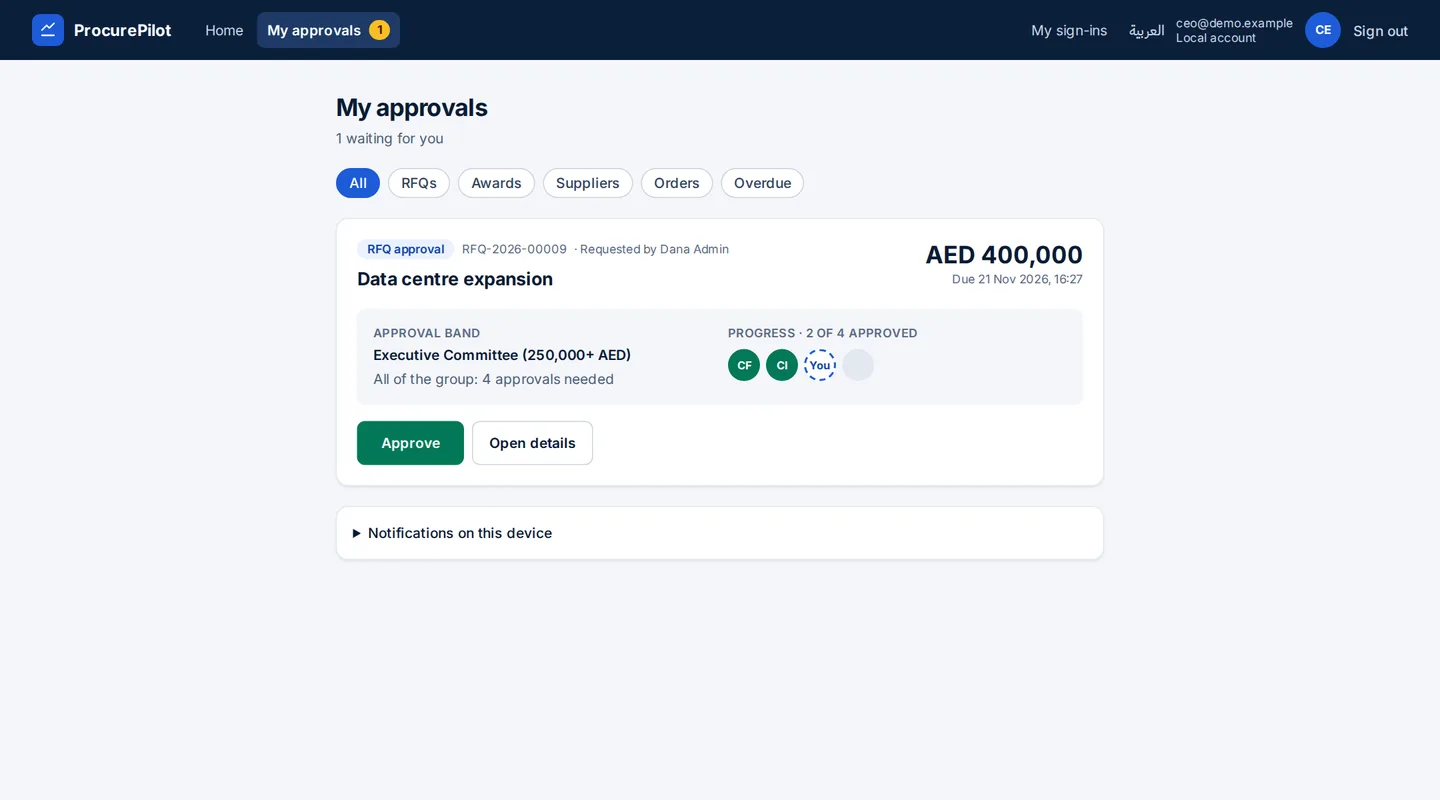
Approver screen with two requests and Approve buttons
Approvers. Budget band, rule and progress at a glance. Approve in one tap, on any device.
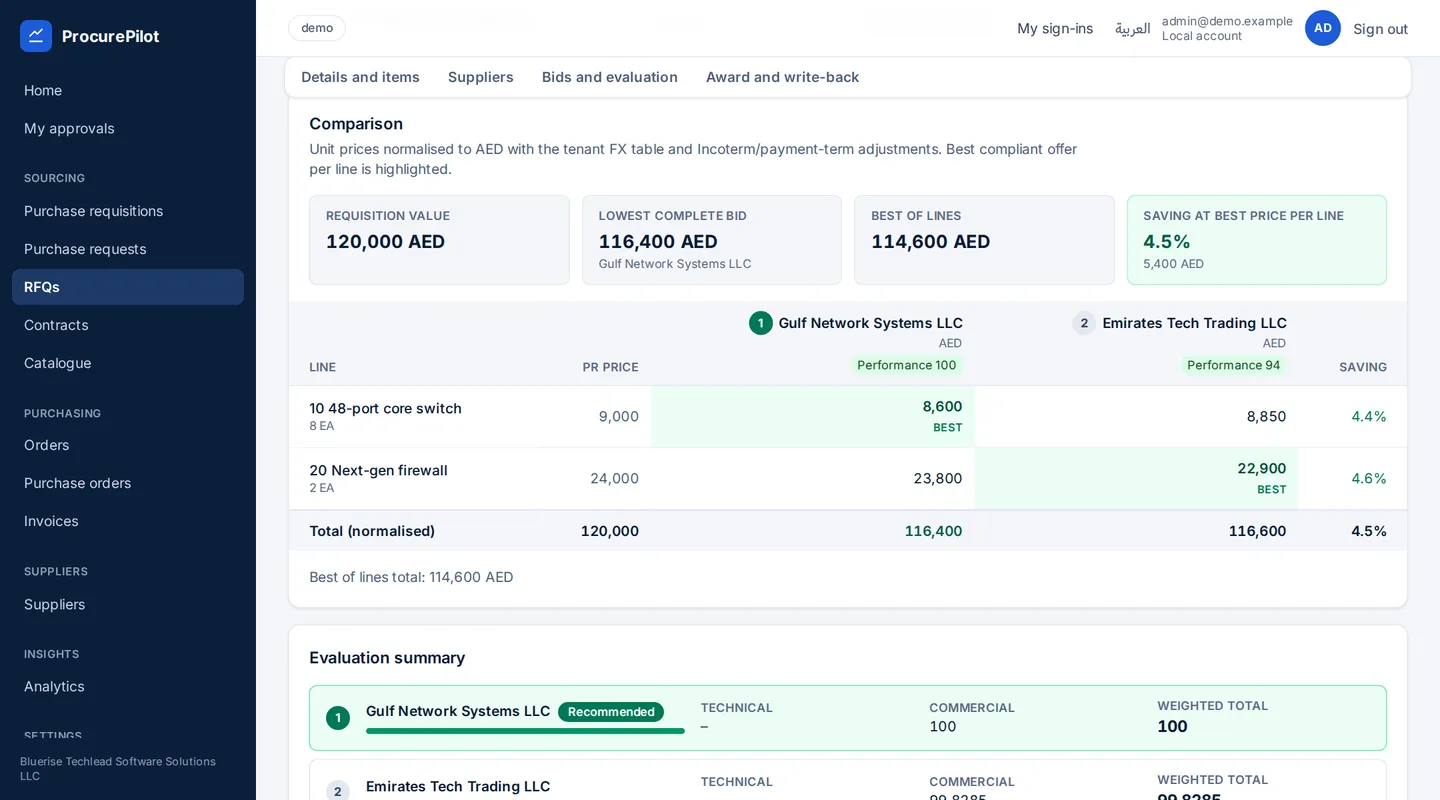
Bid comparison with technical and commercial scores per supplier
Buyers. Bids opened by the committee and compared side by side, technical and commercial.
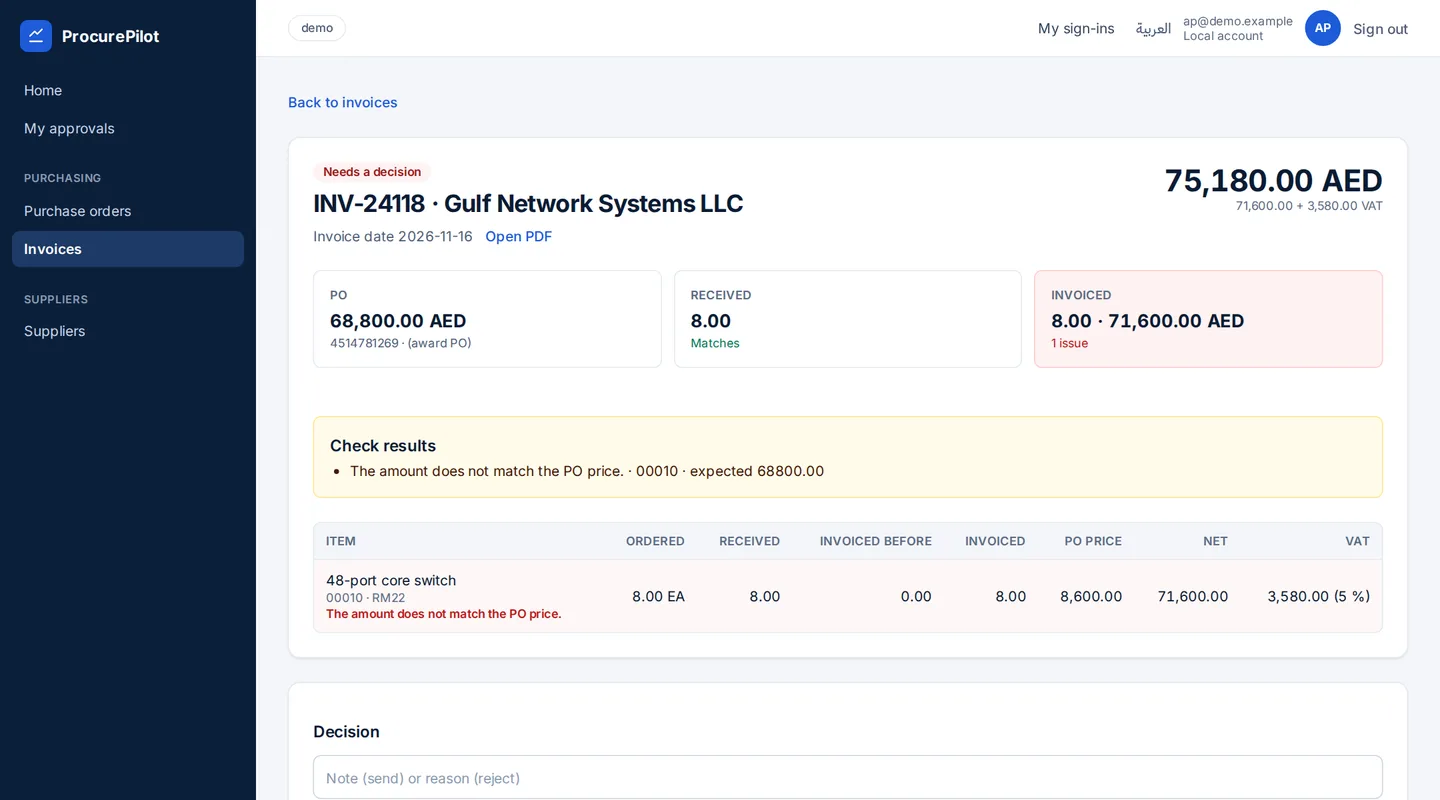
Invoice check comparing purchase order, goods receipt and invoice
Accounts payable. Three-way match with SAP goods receipts. Only exceptions wait for a person.
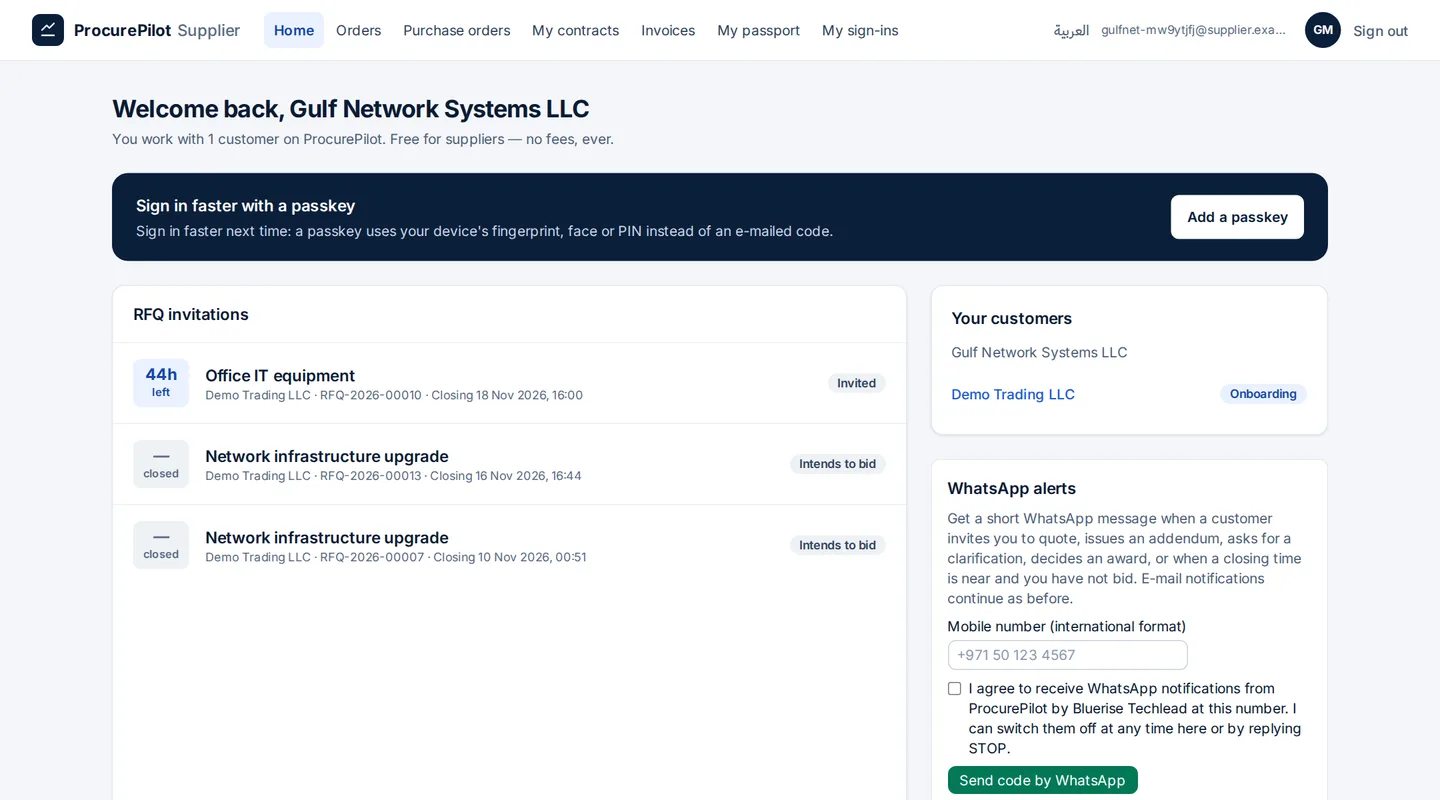
Supplier portal home with invitations to quote and orders to accept
Suppliers. A free portal: invitations with time left, customers, orders and invoices.
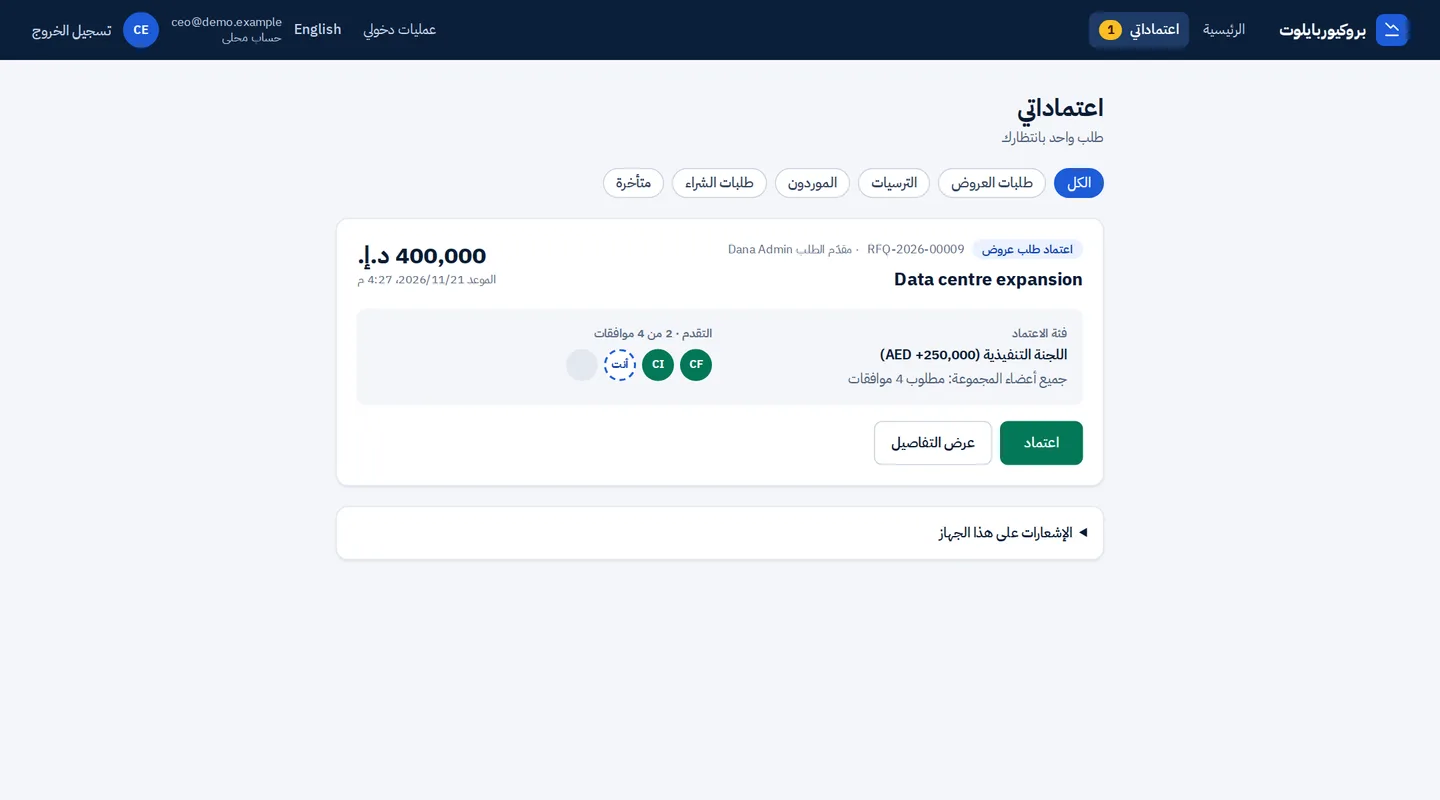
The approver screen in Arabic, laid out right to left
Arabic, right to left. The same screens in Arabic, for buyers, approvers and suppliers.

Product screens, shown with demo data.

How a purchase flows through the platform

  1. Requisitions from SAP. Released purchase requisitions arrive from SAP; the buyer bundles them into an RFQ.
  2. Release. The approval band for the estimated budget releases the RFQ.
  3. Sealed bids. Suppliers register and submit sealed bids. After closing, the committee opens them.
  4. Award. The band for the awarded value approves the award. The person who submits never approves their own request.
  5. Back to SAP. RFQ, quotations, award and purchase order are written to SAP.
  6. Deliver and invoice. The supplier accepts the PO, delivers and invoices. Goods receipts are read from SAP and clean invoices are parked in SAP.

Customers without an ERP run the same cycle inside the platform.

Connected to your SAP through published APIs

Read from SAP

  • Released purchase requisitions (changes only)
  • Goods receipts and delivery dates
  • Invoice status and payment block

Written to SAP

  • RFQ with bidders, supplier quotations, award
  • Purchase orders, contracts, release orders
  • Business partner for an awarded new supplier
  • Supplier invoices, parked for accounts payable

Under your control

  • The connector agent runs in your network and only connects outbound
  • Every SAP endpoint is listed and checked at runtime; no bulk extraction
  • A vendor is created only for an awarded supplier, after a person approves, and never with bank data

Tested on SAP S/4HANA 2022.

Go live from one workbook, hosted where you need it

Configuration workbook

One Excel workbook, in English or Arabic, holds company, SSO, users, SAP and the approval matrix. The platform validates it, previews every change and applies it in one go. Passwords and secrets are entered in secure fields, never in the workbook.

Shared cloud

Hosted by Bluerise Techlead in EU data centres. Each company is isolated by row-level security. The fastest start.

Single-tenant in your cloud

Your own Azure subscription, for example in the UAE region, for in-country data residency. The same product, with no code fork.

See the full cycle on our demo system

From an SAP requisition to a parked invoice. Then we map your approval matrix, supplier questions and SAP scope.

Email us to book a demo